Volume Atlas — See where your space went.
Find out where
your disk space went
Ever stared at a “your disk is almost full” warning with no idea what's actually eating the space? Volume Atlas scans your drives and shows you — clearly, and in a couple of different ways — exactly where your gigabytes went, then helps you do something about it.
Free · macOS 15 Sequoia or later · Apple silicon & Intel · No tracking, ever
A look inside
Two ways to look at a scan
Different questions want different views. Volume Atlas gives you a map and a list, both driven by the same scan, so the numbers always agree.
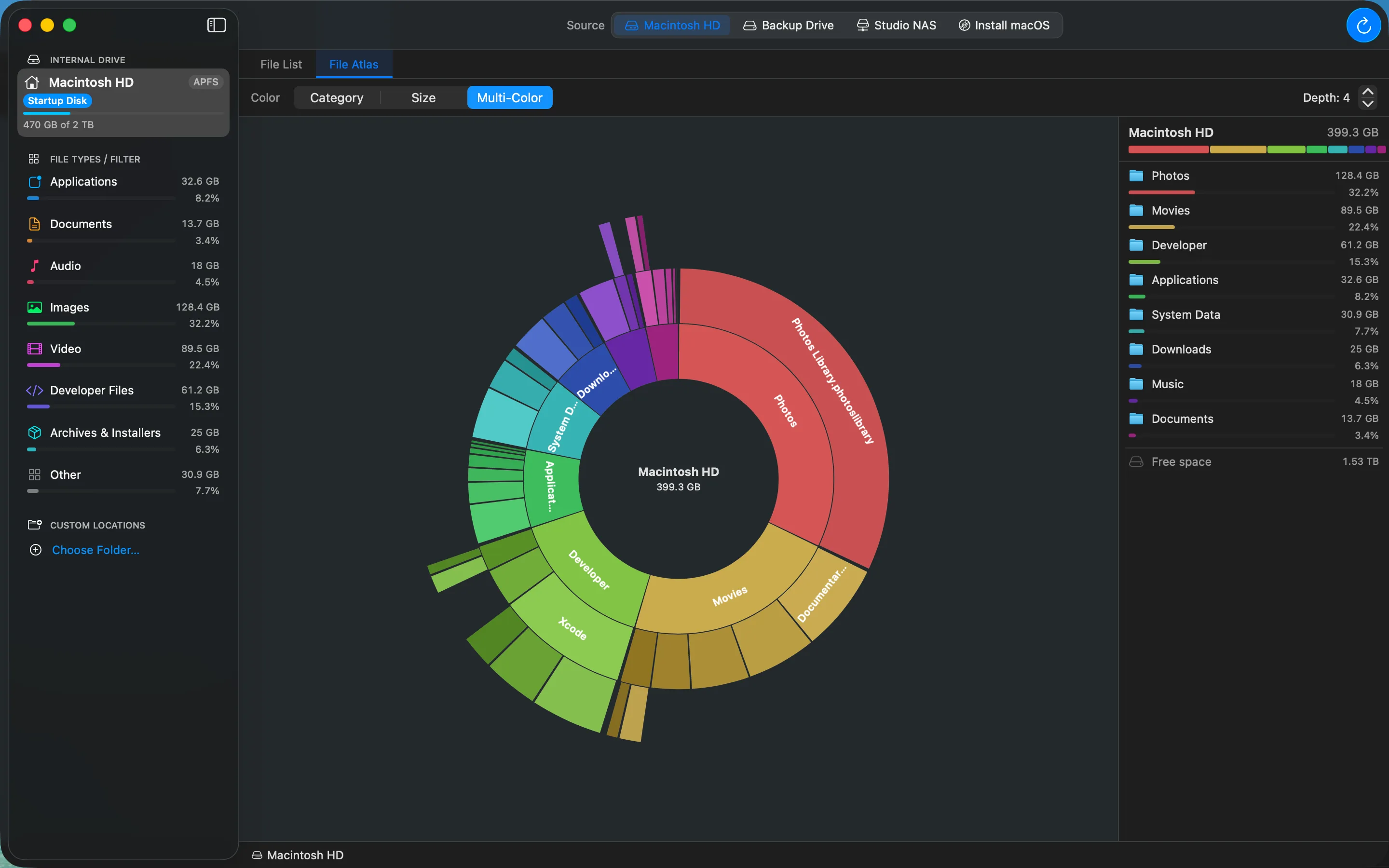
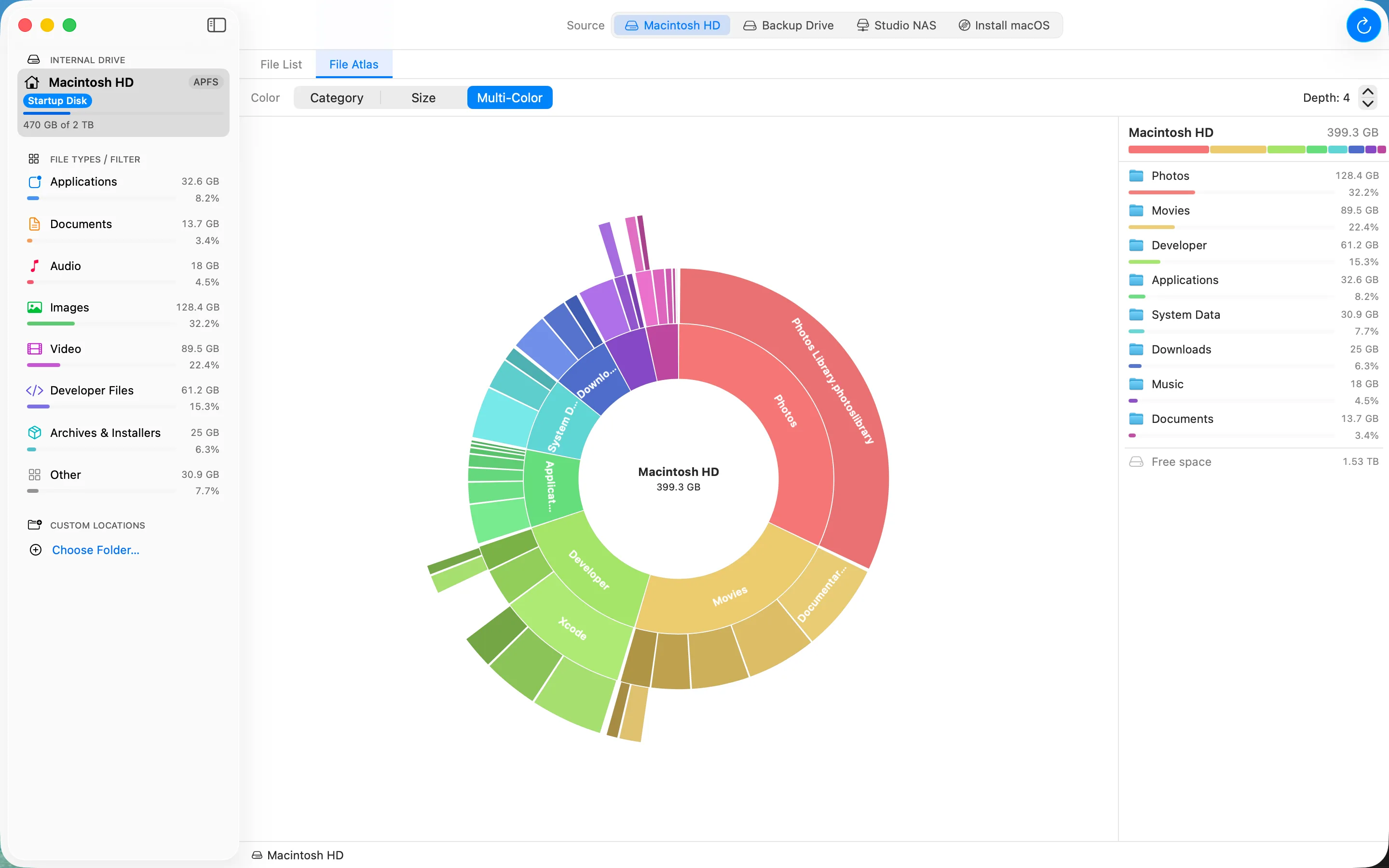
File Atlas
An interactive map of every folder, sized to scale
A sunburst of your whole drive with a size-ranked breakdown beside it. Click a wedge to drill in, follow the breadcrumb back out, and colour it by category, by size as a heat map, or multi-colour.
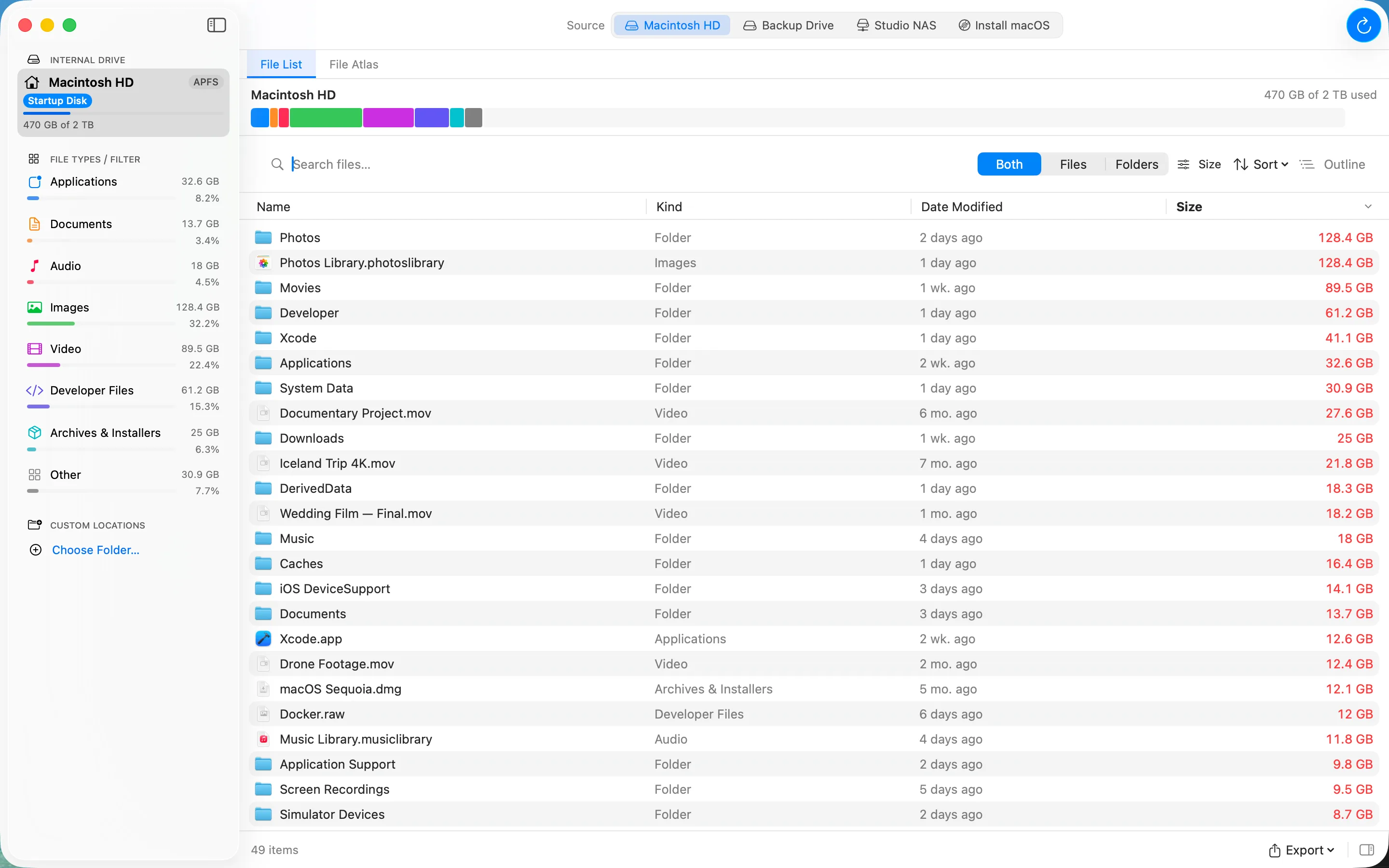
File List
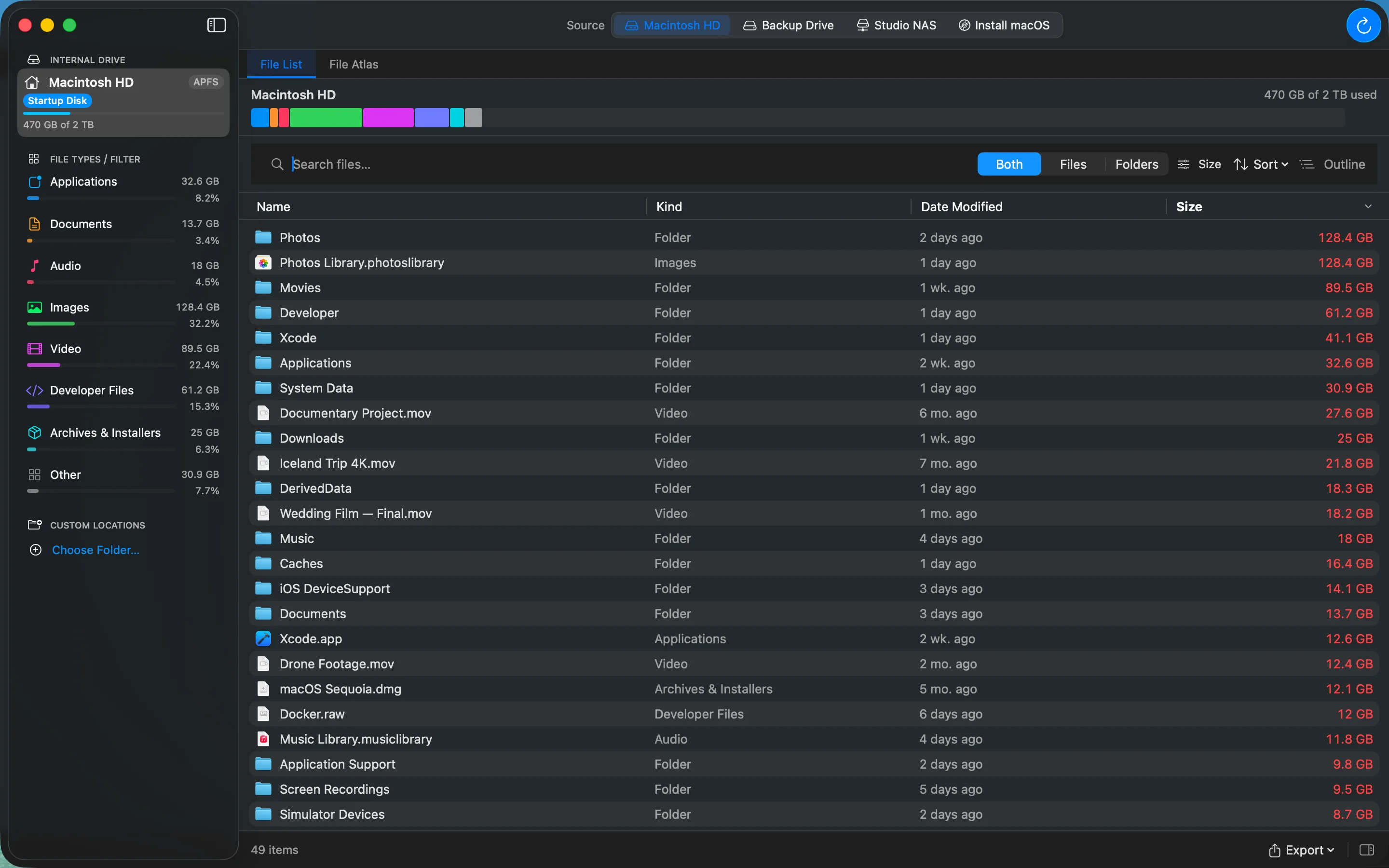
Every file, ranked by size
A searchable, sortable table of files and folders with Quick Look, an info inspector, and right-click actions — Show in Finder, Copy Path, Move to Trash. Export what you are looking at to CSV, JSON, or PDF.
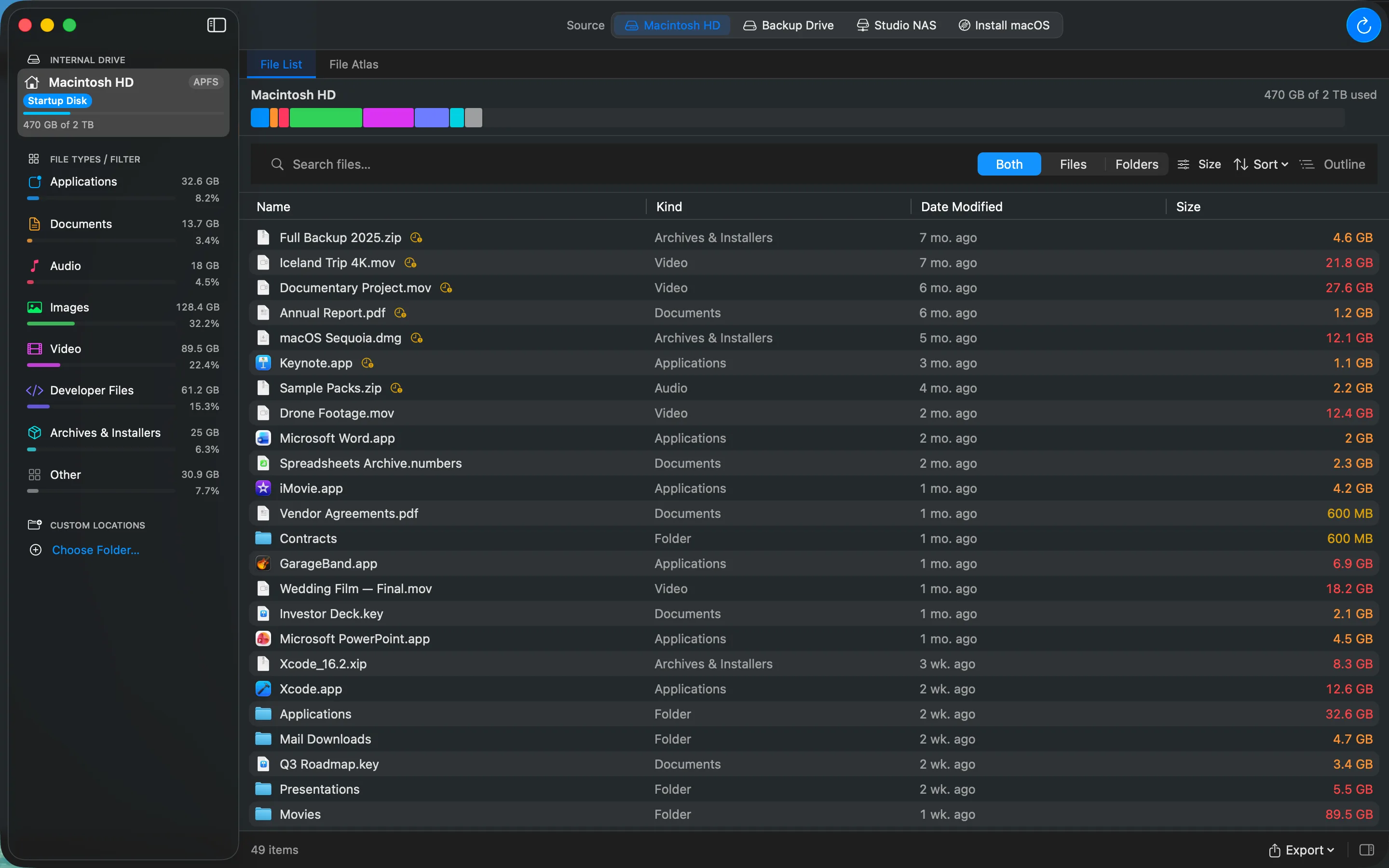
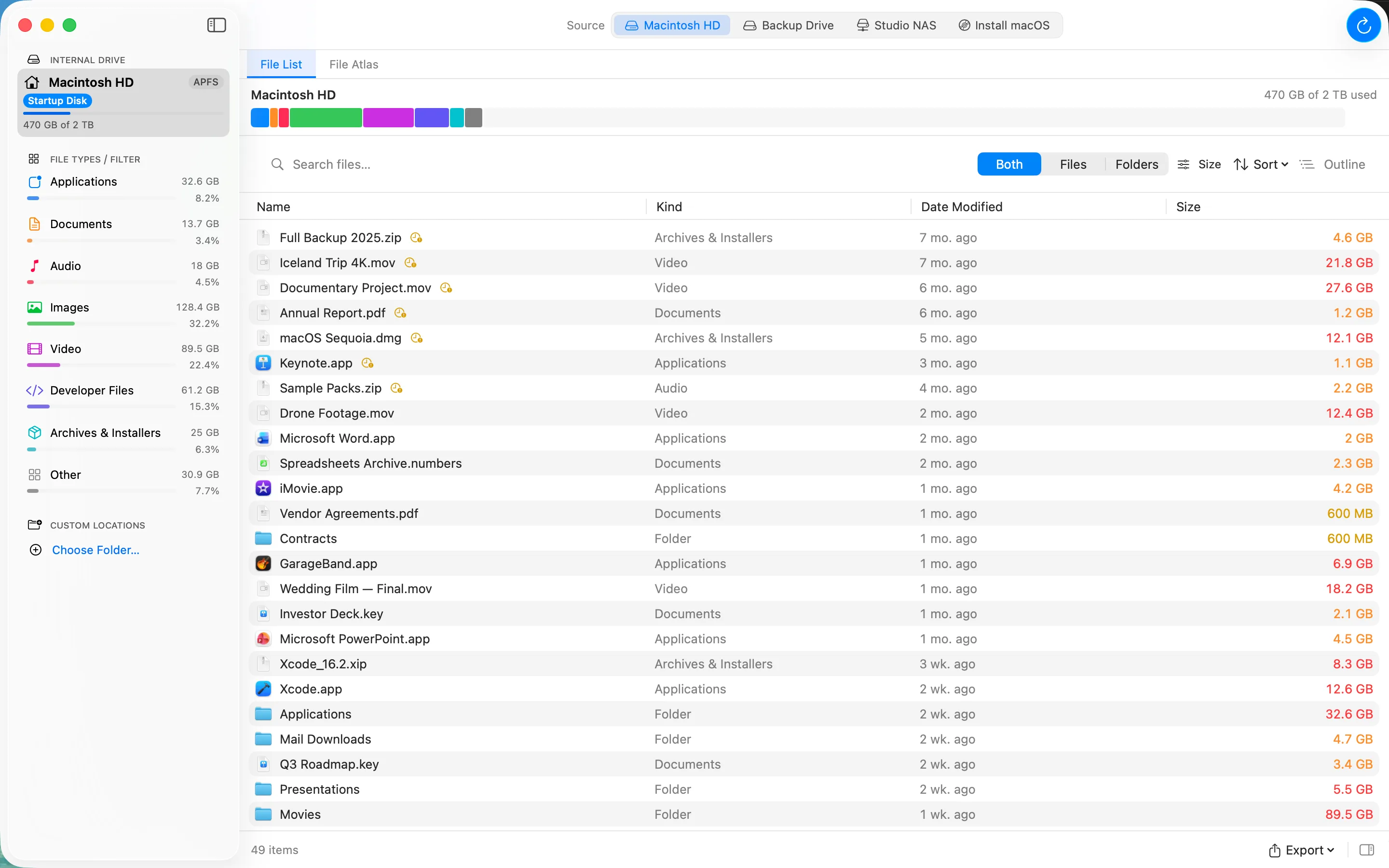
File Aging
The big files you stopped using
A filter that flags large files you haven't opened in 30, 60, or 90 days — usually the safest things to clear. Flagged items sort to the top with an amber clock badge.
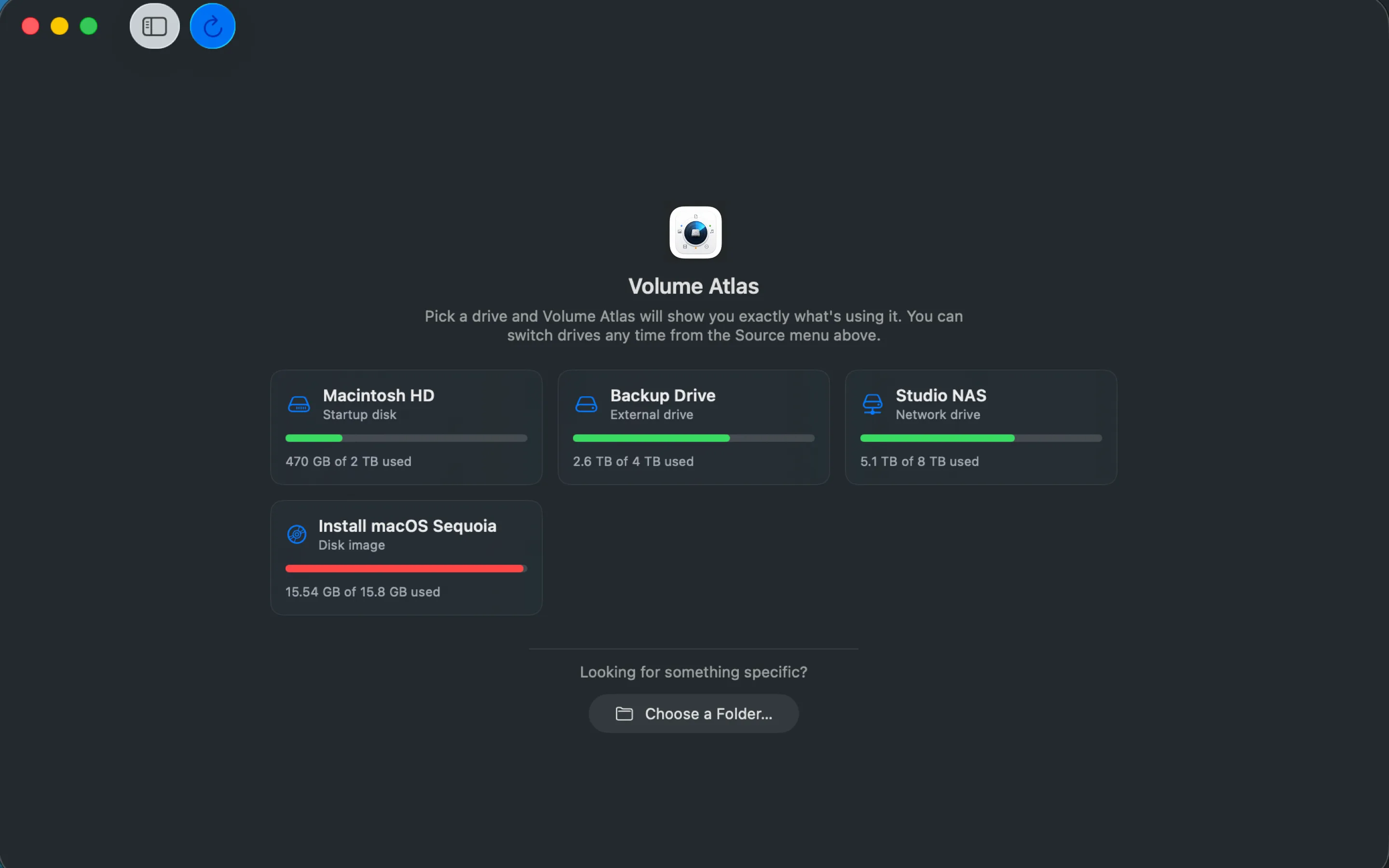
Drive picker
It asks before it scans
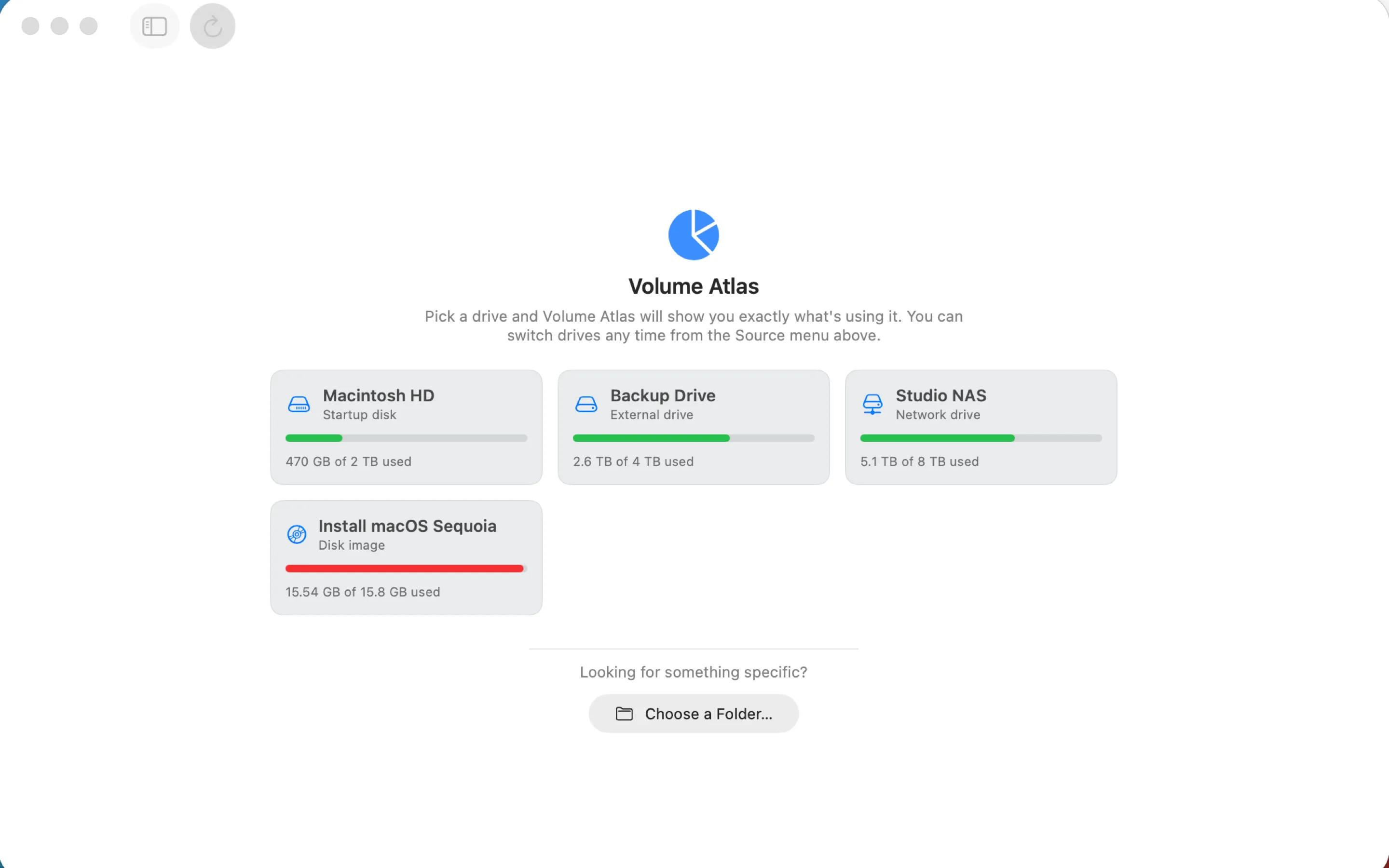
Volume Atlas opens on a picker showing your drives — internal, external, network, or a mounted disk image — each labelled and iconed by what it is, with how much is used. Or point it at a single folder.
Features
Everything lands in a category
Every file is sorted into one of eight buckets, each with a live total and a coloured bar in the sidebar. Click one to filter the list down to it.
- Applications
- Documents
- Audio
- Images
- Video
- Developer Files
- Archives & Installers
- Other
Honest sizes
Real on-disk (allocated) size, not the optimistic kind. App bundles and Photos or Music libraries are treated as single sized items, APFS clones and firmlink mirrors are de-duplicated, and nothing is double-counted across volume boundaries.
It tells you when it is wrong
If something can't be read, the totals say so instead of quietly coming up short. A whole item that got refused — a media library, an app bundle — is named, because one of those can hide more space than a thousand unreadable stray files.
Scan anything
Whole drives — internal, external, network, or a mounted disk image — or just a single folder. It keeps a recents list for the places you check often.
Your filing, your rules
The File Types settings tab lets you add, remove, or move extensions between categories, with one-click Restore Defaults. Changes apply on your next scan.
Act on what you find
Quick Look a file, open it in Finder, copy its path, or move it to the Trash — with a confirmation first, and to the Trash rather than erased, so you can put it back.
Make it yours
Exclude paths, show or hide dotfiles, pick decimal or binary units, colour-code sizes by magnitude with your own thresholds, and scale the whole interface’s text.
Export the view
Save the current list as CSV, JSON, or PDF — for a ticket, a report, or a second opinion. CSV output is written to be safe against formula injection.
Built for fleets, too
The installer package deploys through MDM — Jamf, Kandji, Mosyle, Intune — with a permissions profile, so you can pull a space report from a machine the moment someone complains about disk space.
Command line
The same scanner, somewhere you can pipe it
volume-atlas runs the same engine as the app, so the two always agree on the numbers. Handy
for scripting, automation, and pulling a space report from a machine over SSH.
- volume-atlas info
- List your drives and volumes with capacity. The default if you give no subcommand.
- volume-atlas scan <path>
- Scan a path: live progress, a category breakdown, and the biggest files and folders.
- volume-atlas list <path>
- Just the largest items under a path.
Worth knowing: the command-line tool has its own permissions. It's a separate binary with its own identity, so granting the app access doesn't cover it.
Read the CLI referencePrivacy
Private by construction
A disk analyser sees everything you have. Volume Atlas is built so that seeing it is all it can do — and it ships an Apple privacy manifest declaring exactly that.
Nothing is collected
No analytics, no telemetry, no crash reporting, no usage metrics, no advertising identifiers. There are no accounts, and nothing to opt out of.
It can't phone home
The app declares its network entitlements as false and contains no networking code, so “no data leaves your Mac” is enforced by the code signature rather than promised in a policy.
It reads names, not contents
To show you where your space went it reads names, sizes, dates, and folder structure — never the contents of your files. That lives in memory while you're looking at it and is gone when you quit.
Get the app
Volume Atlas is free
Two editions, same app — pick the one that suits how you work.
Direct download
Installer package · scans whole drives with Full Disk Access · installs the command-line tool system-wide · deployable by MDM.
Download for macOSMac App Store
Sandboxed edition. Same scanning reach — you pick the drive in a system panel and that choice is the grant, remembered per drive.
Mac App StoremacOS 15 Sequoia or later · Apple silicon & Intel · Version 1.1.0 · See what's new
Need to remove it? Download the uninstaller
Version history
Version 1.1.0
New features
- Volume Atlas now speaks nine more languages: Spanish, French, German, Japanese, Simplified Chinese, Brazilian Portuguese, Korean, Hindi, and Russian. The built-in User Guide is translated too, and you can choose a language in Settings › General independently of your system setting.
- macOS 27 (Golden Gate) ready.
- Move between views without losing your place. Right-click an item in the File List to "Show in File Atlas", or in the File Atlas to "Show in File List", and land on the same item in the other view.
- Read-only drives are now clearly marked. A lock badge appears beside the drive and a notice explains why moving and deleting aren't available — instead of those actions quietly failing.
Improvements
- Large scans use less memory, and long file lists render faster.
- Volume Atlas asks for notification permission once instead of on every scan, and remembers your answer.
- Scans now skip macOS's Calendar, Reminders, and Contacts data — a disk-space tool has no use for it, and it no longer asks for access.
Fixes
- The app could appear to freeze on "Preparing…" during a scan.
- Moving a file to the Trash left it showing in the list until the next scan.
- "Group by Age" couldn't be switched off once it was on.
- The filter bar and footer could wrap or crowd in narrow windows, or with the details panel open.
- CSV exports could be misaligned for files with unusual names.
- Layout and compatibility fixes for the latest macOS.
Version 1.0.4
Initial release
- First public release of Volume Atlas.
Volume Atlas Pro is in development. Want to hear when it — or the release above — lands? Send us a note.
Documentation
Read it before you install
The same documents that ship inside the app, published here so you can look anything up first. All three are also available offline under Help.
User Guide
The full walkthrough — scanning, the sidebar, the File List, the File Atlas, acting on files, and every setting.
ReadCLI Reference
Every command, flag, and output format for the volume-atlas command-line tool, with worked examples.
ReadTerms & Privacy
What the app does with your information, in plain language, and the terms you accept by using it.
ReadSupport
Questions are genuinely welcome
Bug reports, feature requests, deployment questions — write in and a person will answer.